Blog
The 9 Best OCR Software: Your 2026 Comparison
Dec 5, 2025
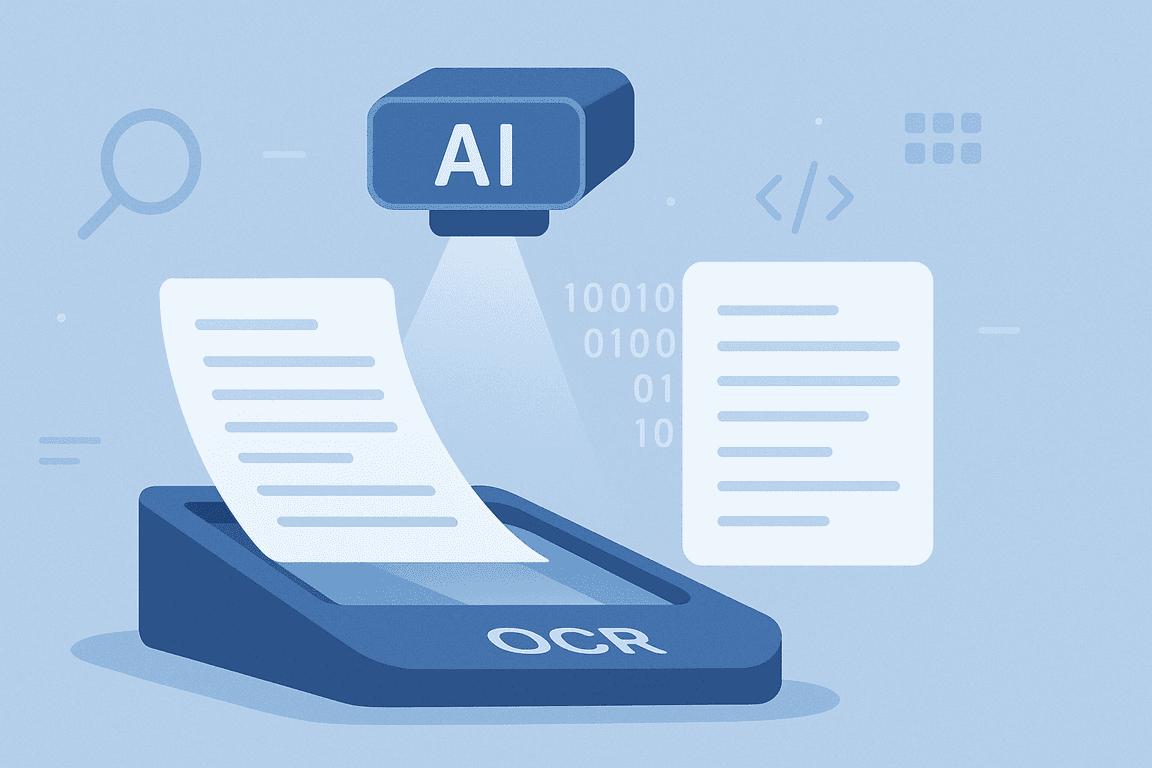
OCR software enables you to read, extract, classify, and convert text from scanned documents, images, PDFs, and even handwritten notes. Using advanced Optical Character Recognition technology, these tools turn unstructured content into structured, machine-readable data.
With the demand for OCR increasing every year, businesses in finance, healthcare, retail, logistics, and legal need solutions that can handle diverse document types at scale. Manual data entry is slow, error-prone, and costly. The right OCR solution can automate those workflows, reduce mistakes, and accelerate processes from minutes to seconds.
In this guide, we compare the 9 leading OCR software tools for 2026, looking at their core features, strengths, and potential limitations based on market research and user feedback.
Key Takeaways
Automate your data workflows: OCR can cut manual entry time from hours to seconds while reducing costly errors.
Aim for high accuracy (95%+): Minimizes post‑processing and ensures reliable outputs for critical business documents.
Integration is essential: Look for tools with APIs, SDKs, and native connectors to fit seamlessly into your existing systems.
Security matters: Choose OCR solutions with ISO 27001, SOC 2, and GDPR compliance for handling sensitive data.
Go beyond simple text recognition: Advanced OCR platforms offer fraud detection, classification, and workflow automation.
What is OCR Software and How Does it Work?
Optical Character Recognition (OCR) software is a technology that analyzes the visual layout of documents, images, or scanned files, and converts the printed or handwritten text into machine‑readable data. In simple terms, it reads text from a picture or scan and turns it into editable, searchable content.
How It Works
Image Capture:
The process starts with a digital image from a scanner, camera, or file upload.Pre‑Processing:
The software improves scan quality by correcting skewed text, sharpening contrast, and removing background noise to ensure accurate recognition.Character Recognition:
Using pattern matching, feature extraction, or advanced AI/ML algorithms, the OCR engine identifies individual characters, numbers, and symbols in the image.Post‑Processing:
Contextual analysis and language models help correct errors and improve accuracy, especially for tricky fonts or poor‑quality scans.Data Output:
The recognized text is exported into structured formats like Word, Excel, JSON, or integrated directly into databases and workflows.
OCR eliminates the need for manual data entry, saving time, cutting costs, and reducing errors. It enables instant search, indexing, and analysis of documents, supporting faster workflows in industries like finance, healthcare, legal, and logistics.
What Are The Best OCR Software in 2026?
With the global OCR software market estimated at $1.12 billion in 2025 and projected to reach $2.66 billion by 2034 (CAGR 10.05%), adoption is accelerating across industries. The most advanced tools now go beyond basic text recognition, integrating AI, workflow automation, and compliance features to manage high‑volume, complex document processes with speed and precision.
Here’s our expert‑curated list of the leading platforms, ranked on accuracy, integrations, and performance.
1. OCRSoftware.co
OCRSoftware.co delivers AI‑driven OCR capable of extracting data from over 100 document types, including invoices, receipts, ID cards, passports, and contracts. Achieving up to 99% accuracy, it supports multiple formats and integrates via API, SDK, or full workflow automation.
Advanced features include pre‑processing, data validation, fraud detection, and multi‑language support, ideal for large organisations in regulated industries.
Pros:
✔ Upload via app, web, email, FTP
✔ Supports multiple formats, including PDF, JPG, PNG, XLSX
✔ Advanced image pre‑processing for improved accuracy
✔ Template‑free extraction for flexibility
✔ Built‑in validation and fraud detection
✔ Flexible export formats such as JSON, XLS, CSV, UBL, XML
Cons:
✖ Limited recognition capability for non-Latin alphabets or unusual character sets
✖ Onboarding may be required for non‑technical users
Pricing: Custom licensing or usage‑based; request a demo.
2. Klippa Dochorizon
Klippa OCR is an advanced AI-powered solution for automating data extraction from over 100 document types, including invoices, receipts, bank statements, passports, and more.
Whether you need automation for loyalty programs, identity verification, or invoice processing, Klippa’s OCR can capture the data you need without relying on fixed templates.
Pros:
✔ Supports multiple formats (PDF, JPG, PNG, XLSX)
✔ Advanced image pre‑processing for better recognition
✔ Template‑free extraction from any supported document type
✔ Data validation and fraud detection tools
✔ Integration with ERP, CRM, and database systems
Cons:
✖ No support for non‑Latin alphabets
✖ Onboarding and integration may require technical expertise
✖ Limited on‑premise deployment options
✖ Might be costly for smaller companies
Pricing: €25 free credit; license or usage-based pricing; contact for details.
3. ChronoScan
ChronoScan is a document management suite aimed at bulk PDF processing. It converts files into XML or CSV quickly and supports features like barcode reading and table extraction.
With integration options for ERP and CRM, ChronoScan enables fast turnaround, though it lacks fraud detection and advanced automation in lower tiers.
Pros:
✔ Batch processing for high‑volume documents
✔ Line item and table extraction
✔ Barcode extraction
✔ Integration with third‑party apps, including CRM and ERP
✔ Document management for scanned and digitised files
Cons:
✖ Only converts PDF files to XML or CSV
✖ No onboarding support provided
✖ No fraud detection for documents or images
✖ Extended automation and archiving only in the premium version
Pricing:
Professional: For small applications, for €245/one time
Advanced: For medium/big applications for €595/one time
Enterprise: For big/scalable applications, custom pricing
4. Tungsten Automation (OmniPage)
OmniPage by Tungsten Automation offers enterprise-focused OCR for diverse sources such as paper, PDFs, and scanned images. It can capture fields, tables, and line items in multiple languages, with integration to ERP/accounting systems.
Though robust, some users report accuracy issues and limited output flexibility, alongside a steep learning curve.
Pros:
✔ Field, line item, and table capture
✔ Supports over 100 languages
✔ ERP and accounting system integration
✔ Capture from multiple formats, including paper and scanned files
✔ Document accessibility across devices
Cons:
✖ Limited output formats
✖ Accuracy can fluctuate
✖ Learning curve for implementation
Pricing: Custom pricing, depending on the business’s requirements and needs.
5. Nanonets
Nanonets delivers tailored OCR via custom-trained models capable of handling handwriting and varied layouts. It supports multiple formats and end‑to‑end document management.
Suitable for businesses with diverse formats, though export options are limited and costs can be high for smaller operations.
Pros:
✔ Trainable OCR models for unique invoice layouts
✔ Handwriting recognition
✔ Table and line item extraction
✔ Supports PDFs, images, and scans
✔ Full document management workflow
Cons:
✖ Higher cost for smaller businesses
✖ Limited export formats compared to some competitors
Pricing:
Starter plan: Try out the platform with limited features and 500 pages, then $0.3/page + $0.5/step of workflow integration
Pro plan: Advanced on-platform tools for $999/month/workflow
Enterprise plan: Custom workflow add-ons, custom pricing
6. Amazon Textract
Amazon Textract leverages machine learning to identify text, handwriting, signatures, and tables in documents. It offers indexing and classification tools for large document sets.
The system integrates well within AWS but has restricted language support and input formats, plus accuracy concerns from some users.
Pros:
✔ Extraction for text, handwriting, tables, and signatures
✔ Smart indexing for document search
✔ Document classification capabilities
✔ AWS ecosystem integrations
Cons:
✖ Limited language coverage
✖ Supports only PNG, JPEG, and PDF formats
✖ Accuracy issues noted by users
Pricing: Custom pricing, depending on the business’s requirements and needs
7. Docsumo
Docsumo uses deep learning to quickly analyse and extract data from structured PDFs. It converts tables to Excel and allows output review for accuracy improvements.
While efficient for simple layouts, it struggles with complex or unique document formats and offers limited batch capacities.
Pros:
✔ Fast PDF extraction
✔ Table conversion to Excel, CSV, and other formats
✔ Output review for accuracy improvement
✔ Financial document focus
Cons:
✖ PDF‑only input
✖ Maximum of four files processed simultaneously
✖ Struggles with unique or complex layouts
Pricing:
Growth plan: For businesses that need to automate one or two document types from $500+/month
Business plan: Platform for businesses that need to capture specific data points from documents and train on their data, with custom pricing
Enterprise plan: for enterprises that need to process multiple document types, train on their data, and implement custom workflows, with custom pricing
8. OCR.space
OCR.space is a lightweight, cloud-based OCR tool for occasional document conversion. It includes basic table recognition and auto image enhancement. The free tier has small file size limits, and outputs are JSON-only unless on paid plans. Bulk processing is reserved for higher tiers.
Pros:
✔ Free plan available
✔ Table recognition system
✔ Automatic image enhancement for better OCR results
✔ JSON outputs
Cons:
✖ File size limits in free plan
✖ Template‑based OCR limitations
✖ JSON‑only outputs unless premium
Pricing:
Free plan: Up to 25,000 requests with a file size limit of 1 MB per image
PRO plan: Up to 300,000 requests with a maximum file size of 5 MB per image for $30/month
PRO PDF plan: Up to 300,000 requests with a file size limit exceeding 100 MB for $60/month
Enterprise plan: Customizable solutions and unlimited conversions for $999/month
9. Tesseract
Tesseract is an open-source OCR engine supporting over 100 languages. It integrates with multiple programming frameworks and is ideal for high-quality scans, though it requires technical skill to set up and lacks compliance features. Accuracy falls off with poor-quality inputs.
Pros:
✔ Free plan available
✔ Table recognition system
✔ Automatic image enhancement for better OCR results
✔ JSON outputs
Cons:
✖ File size limits in free plan
✖ Template‑based OCR limitations
✖ JSON‑only outputs unless premium
Pricing: Free
Why OCRSoftware.co Stands Out Among the Best OCR Software Tools
OCRSoftware.co isn’t just another OCR service. It’s a complete AI‑powered document processing platform, combining advanced image pre‑processing, deep learning models trained on diverse global document formats, low‑code workflow automation, and built‑in fraud detection to deliver highly accurate, scalable, and secure data extraction.
The platform makes it easy to automate and optimise every step of a document workflow. Whether you need fast processing of invoices, secure onboarding via ID capture, or verification of contracts, OCRSoftware.co delivers both speed and reliability.
Key capabilities include:
Document retrieval from databases, folders, email, Google Drive, and other sources
Rapid turnaround through data entry automation
Seamless conversion and export to downstream applications
Document authenticity certification with verification tools
Compliance-ready data anonymisation
Fraud detection for early warning on manipulated or duplicate files
Intelligent classification and sorting to streamline your digital archive
With robust integration options, multi‑language support, and enterprise‑grade compliance, OCRSoftware.co’s combination of accuracy, adaptability, and security makes it a leading OCR choice for organisations heading into 2026.
Ready to see OCRSoftware.co in action? Request a free demo today and discover how fast, accurate, and secure document processing can transform your workflows.